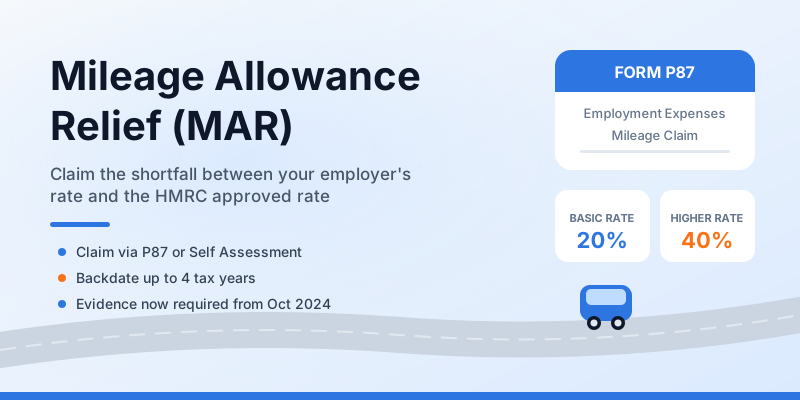
If you drive your own car for work and your employer pays you less than 45p per mile — or nothing at all — you could be owed hundreds of pounds in tax relief every year. Mileage Allowance Relief (MAR) is one of the most under-claimed tax deductions in the UK, with millions of eligible employees never filing a claim.
This guide covers everything you need to know: what MAR is, who qualifies, how to calculate your claim, and the updated P87 process for 2025/26 and 2026/27.
What Is Mileage Allowance Relief?
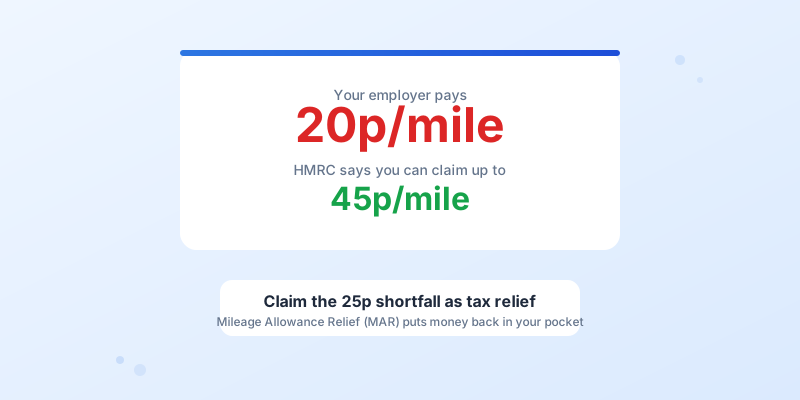
HMRC sets Approved Mileage Allowance Payment (AMAP) rates that employers can pay tax-free when employees use their own vehicles for business journeys. For the 2025/26 and 2026/27 tax years, those rates are:
- Cars and vans: 45p per mile for the first 10,000 miles, then 25p per mile
- Motorcycles: 24p per mile (all miles)
- Bicycles: 20p per mile (all miles)
If your employer reimburses you at less than these rates — or pays nothing — the gap between the HMRC rate and what you actually receive is called Mileage Allowance Relief. You can claim that shortfall as a deduction against your taxable income, which means you pay less income tax.
MAR does not affect your National Insurance contributions. It is purely an income tax deduction.
Who Qualifies for Mileage Allowance Relief?
You can claim MAR if all of the following apply:
- You are an employee (not self-employed — the self-employed claim mileage through Self Assessment instead)
- You use your own vehicle for work, not a company car
- You travel to temporary workplaces, between multiple work sites, or on business errands — your regular daily commute does not count
- Your employer pays you below the HMRC approved rate, or pays you nothing at all
If your employer reimburses you at exactly 45p per mile (or above), there is no shortfall and nothing to claim. In fact, any payment above the approved rate is taxable as a benefit.
MAR is common among care workers, nurses, sales reps, engineers, and anyone whose role involves visiting different locations regularly. If you are a care worker, our guide to care worker mileage claims covers sector-specific details.
How to Calculate Your MAR Claim
The formula is straightforward:
MAR = (HMRC approved rate - employer rate) x business miles
Remember the two-tier structure for cars and vans: 45p applies to the first 10,000 business miles in a tax year, and 25p applies to everything above that.
Worked Example
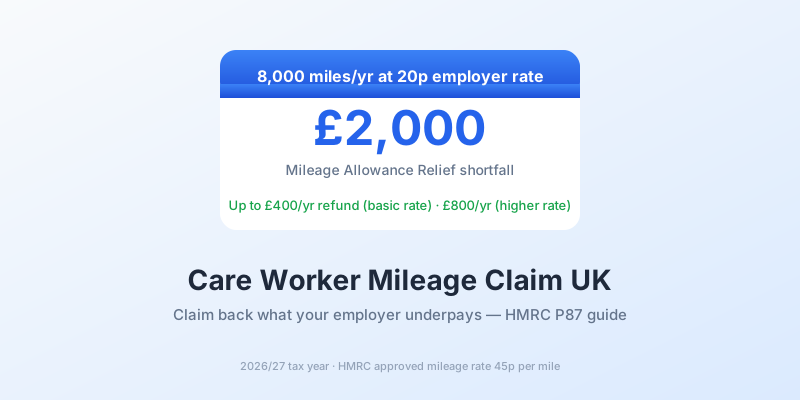
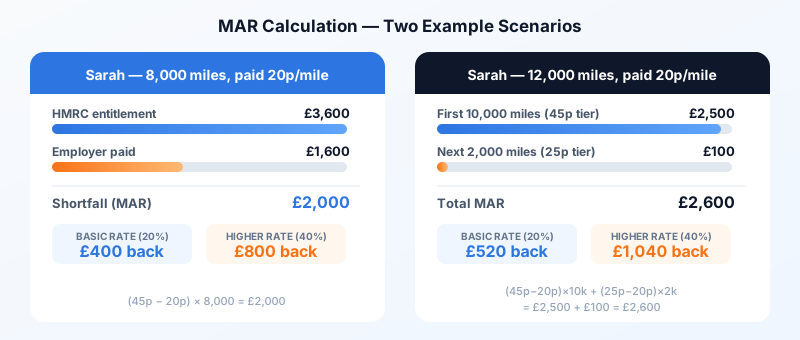
Sarah is a domiciliary care worker who drove 8,000 business miles in 2025/26. Her employer pays her 20p per mile.
Step 1 — HMRC entitlement: 8,000 miles x 45p = £3,600
Step 2 — Employer payment: 8,000 miles x 20p = £1,600
Step 3 — Shortfall (MAR): £3,600 - £1,600 = £2,000
Step 4 — Tax saving:
- Basic rate taxpayer (20%): £2,000 x 20% = £400 refund
- Higher rate taxpayer (40%): £2,000 x 40% = £800 refund
If Sarah drove 12,000 miles instead, the calculation splits at the 10,000-mile threshold:
- First 10,000 miles: (45p - 20p) x 10,000 = £2,500
- Next 2,000 miles: (25p - 20p) x 2,000 = £100
- Total MAR: £2,600
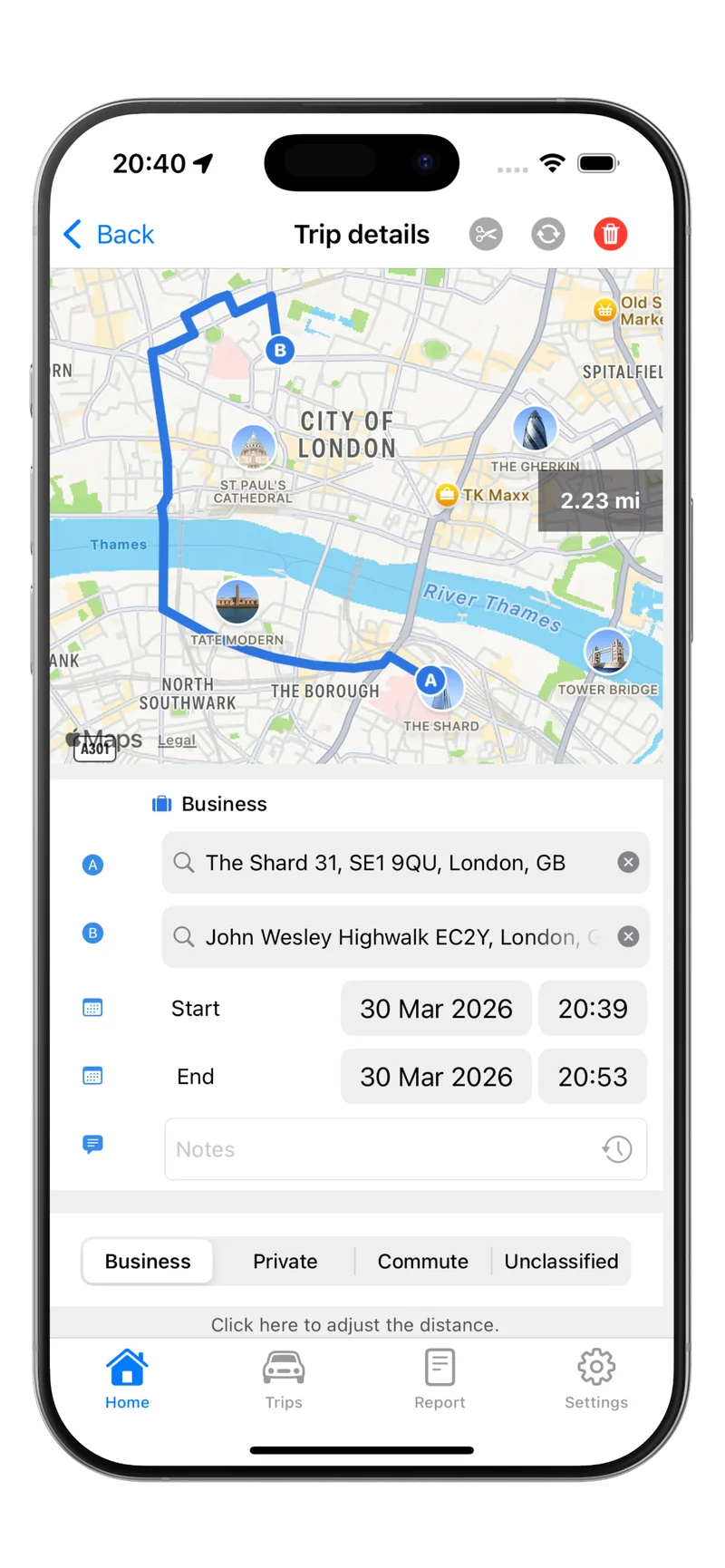
Tracking every journey accurately is essential. Tripbook records each business trip automatically, giving you a clean mileage total that maps directly to your P87 claim.
How to Claim MAR Using Form P87
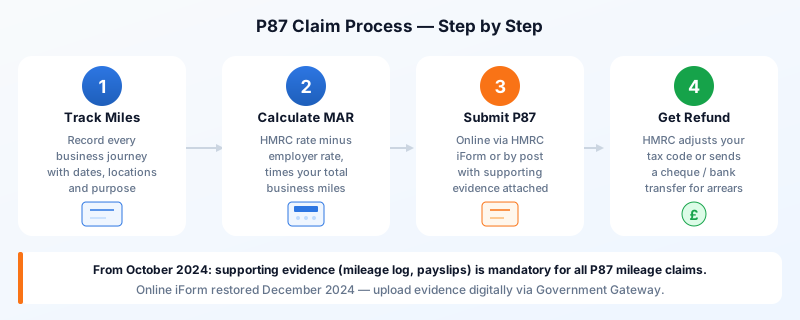
If you do not file a Self Assessment tax return, you claim MAR using Form P87 — the HMRC employment expenses form. Your total claim must be £2,500 or less per tax year to use P87; above that threshold, you must register for Self Assessment.
The Updated P87 Process (From October 2024)
HMRC overhauled the P87 process in late 2024 after identifying a rise in ineligible claims. Here is how the current system works:
Online via HMRC’s iForm (restored 23 December 2024):
- Sign in to your HMRC account through the Government Gateway on GOV.UK
- Access the P87 iForm for employment expenses
- Enter your employer’s PAYE reference, your business miles, and the rate your employer paid
- Upload supporting evidence — your mileage log, payslips showing reimbursement amounts, or a letter from your employer confirming the rate paid
- Submit the claim
By post:
- Download and complete the P87 paper form from GOV.UK
- Attach printed copies of your supporting evidence
- Post to: Pay As You Earn and Self Assessment, HM Revenue and Customs, BX9 1AS
The key change from October 2024 is that supporting evidence is now mandatory for mileage claims. HMRC requires journey details, miles travelled, and confirmation of any mileage payments received from your employer. A mileage log is the primary evidence they expect.
Online claims are typically processed faster than postal ones. However, if an agent or accountant files on your behalf, they must use the paper form — the online iForm is only available to the individual claimant.
Claiming Through Self Assessment
If you already file a Self Assessment return, you do not use P87. Instead, enter your MAR figure in the Employment section under expenses. Our Self Assessment mileage claim guide walks through this step by step.
Backdating Your Claim: The Four-Year Window
One of the most valuable aspects of MAR is the ability to claim for up to four previous tax years. If you have been driving for work without claiming the shortfall, you could recover a significant sum.
As of the 2025/26 tax year, you can still claim back to 2021/22. Each tax year requires its own P87 entry (online) or separate paper form.
Backdate Example
Tom is a sales representative who has driven 7,000 business miles per year for four years. His employer pays nothing toward mileage.
- Annual MAR: 7,000 x 45p = £3,150 (within the first 10,000 miles each year)
- Four-year total: £3,150 x 4 = £12,600 in relief
- Basic rate refund: £12,600 x 20% = £2,520 back from HMRC
To backdate, you need mileage records for each year. If you have not been logging journeys, start now with Tripbook so you capture every mile going forward — the app produces HMRC-ready reports that serve as the evidence P87 now requires.
Download Tripbook from the App Store and start building your mileage evidence today.
What Records Does HMRC Require?
Since the October 2024 evidence changes, HMRC expects the following for mileage claims:
- A mileage log showing the date, start and end locations (postcodes are ideal), business purpose, and miles for each journey
- Evidence of any employer reimbursement — payslips, expense reports, or a letter from your employer confirming the rate paid
- Your employer’s PAYE reference number (found on your P60, P45, or the HMRC app)
HMRC may audit your claim, so keep records for at least five years after submission. Tripbook stores your complete journey history in the cloud, so your records are always accessible if HMRC comes asking.
For a broader look at what HMRC expects from mileage records, see our HMRC mileage record-keeping guide.
Key Takeaways
- Mileage Allowance Relief covers the gap between what your employer pays and the HMRC approved rate of 45p per mile
- Claim using Form P87 (online iForm or by post) if you do not file Self Assessment and your claim is £2,500 or less
- Supporting evidence — particularly a mileage log — is now mandatory for P87 claims
- You can backdate claims for up to four previous tax years
- A basic rate taxpayer driving 8,000 unreimbursed miles can reclaim around £720 per year
- Start tracking your journeys with Tripbook to ensure your records meet HMRC’s evidence requirements