The ATO logbook method is the most effective way to claim car expenses in Australia — but keeping a paper logbook for 12 continuous weeks is tedious, error-prone, and easy to abandon. An ATO logbook app eliminates these problems by automating the process while meeting every ATO requirement.
This guide explains what the ATO requires in a logbook, how an app satisfies those requirements, and the steps to set up and maintain your digital logbook.
What the ATO requires in a logbook
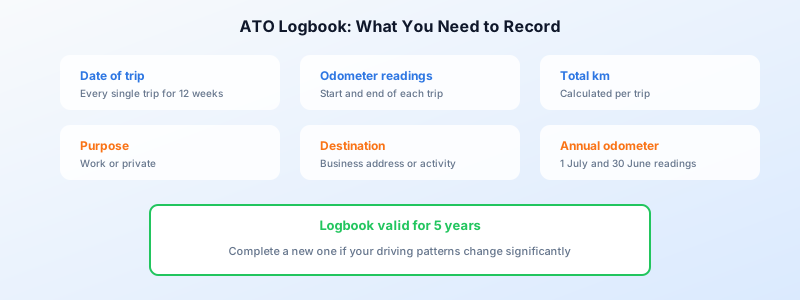
A valid logbook must cover a minimum 12-week continuous period and record the following for every trip during that period:
- Date of the trip
- Odometer reading at the start and end of each trip
- Total kilometres for the trip
- Purpose of the trip (work or private)
- Business destination or description of the work activity
At the end of the 12-week period, you calculate your business-use percentage by dividing total business kilometres by total kilometres driven. This percentage is then applied to your actual car expenses for the entire financial year.
A valid logbook stays current for five years, provided your driving patterns do not change significantly. If they do (for example, you change jobs or move house), you should complete a new logbook.
You also need odometer readings at 1 July and 30 June each year to determine total kilometres for the financial year.
For the complete ATO requirements, see our ATO logbook requirements guide.
Why a paper logbook fails most people
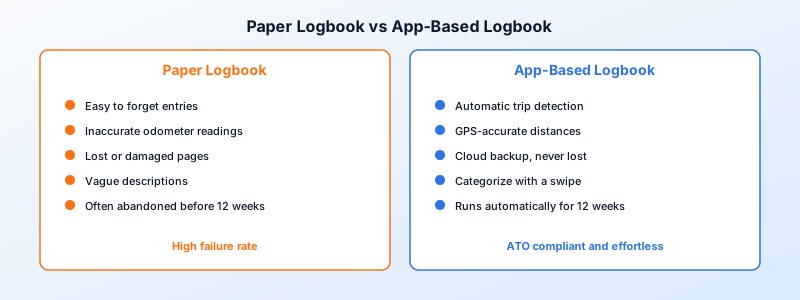
The 12-week requirement is where paper logbooks fall apart. Common problems include:
- Forgetting to record a trip — even one missed entry can invalidate the logbook
- Inaccurate odometer readings — rounding or guessing introduces errors
- Lost or damaged pages — paper logbooks can be misplaced or become illegible
- Inconsistent descriptions — vague entries like “work” do not meet ATO standards
- Abandoning the process — 12 weeks is a long time to maintain manual discipline
The ATO accepts digital records, including app-generated logbooks, as long as they contain the required information. This makes a tracking app the most practical option.
How an ATO logbook app works
A quality logbook app uses your phone’s GPS to detect and record trips automatically. Here is how the process typically works:
Step 1 — Install and set up
Download the app, enter your vehicle details, and record your starting odometer reading. The app will begin detecting trips based on vehicle movement.
Step 2 — Automatic trip detection
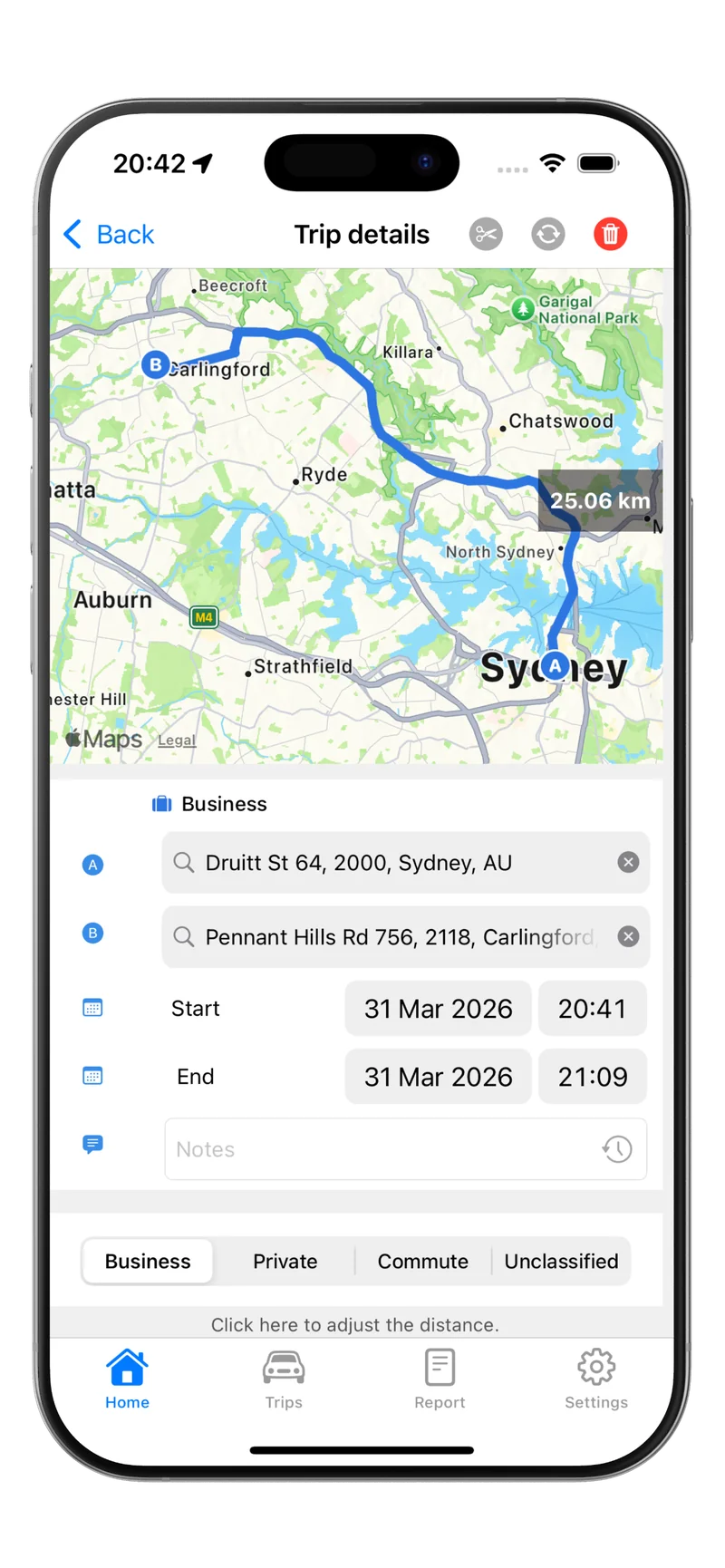
Each time you drive, the app records the date, start and end locations, distance, and route. There is nothing to write down — the data is captured in real time.
Step 3 — Classify each trip
After each trip (or at the end of each day), mark whether the trip was for business or personal purposes. Some apps let you set rules to auto-classify recurring routes.
Step 4 — Complete the 12-week period
Continue for the full 12 weeks. The app calculates your business-use percentage automatically based on the classified trips.
Step 5 — Apply the percentage
At the end of the financial year, apply your logbook percentage to your total car expenses (fuel, insurance, registration, servicing, depreciation) to calculate your deduction.
Step 6 — Renew when needed
Your logbook remains valid for five years. If your circumstances change, start a new 12-week logbook in the app.
What makes Tripbook ideal for ATO logbooks
Tripbook is designed specifically for Australian kilometre tracking and ATO compliance:
- Automatic trip detection — no manual start/stop required
- GPS-verified distances — accurate to the metre, removing estimation errors
- Trip classification — mark trips as business or personal with a single tap
- ATO-compliant reports — export your logbook in a format the ATO accepts
- Odometer tracking — record and track odometer readings within the app
- Five-year record storage — keep your logbook data accessible for the full ATO retention period
Beyond the 12-week logbook
Even after your logbook period ends, continuing to track your trips has value:
- Cents per km users: You get an accurate count of business kilometres to support your claim
- Logbook users: If your driving pattern changes, you have data to decide whether a new logbook is needed
- Audit protection: Year-round tracking provides a comprehensive record if the ATO ever queries your claim
Many taxpayers who start with the cents per kilometre method discover they exceed 5,000 business kilometres — at which point the logbook method becomes far more valuable. Continuous tracking makes the switch seamless.
Tips for a successful digital logbook
Start at the beginning of a quarter. While you can start your 12-week period at any time, beginning on 1 July, 1 October, 1 January, or 1 April makes record-keeping cleaner.
Classify trips daily. Do not let unclassified trips pile up. A quick review at the end of each day takes seconds and keeps your data accurate.
Record your odometer at key dates. Note your odometer reading on 1 July and 30 June each year, and at the start and end of your 12-week logbook period.
Do not cherry-pick weeks. The 12 weeks must be continuous. You cannot skip a week because you drove mostly for personal reasons and restart later.
Keep expense receipts. The logbook determines your business-use percentage, but you still need receipts for the actual expenses (fuel, insurance, servicing, registration) to calculate the deduction.
For a full comparison of the logbook and cents per km methods, see our logbook vs cents per km guide.
Getting started
Keeping an ATO logbook using an app is the most reliable way to establish your business-use percentage and maximise your car expense deduction. Start your 12-week logbook today with Tripbook and take the guesswork out of tax time.