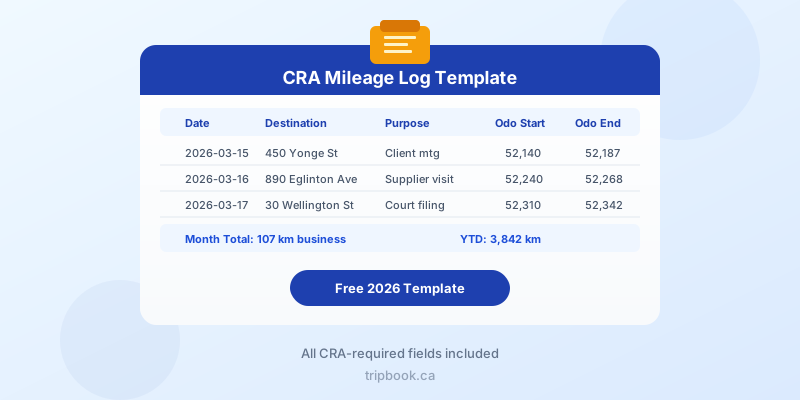
Every Canadian who claims vehicle expenses needs a CRA mileage log template that captures the right information in the right format. Without one, your entire deduction can be denied during an audit, even if you legitimately drove thousands of business kilometres. Below you will find a ready-to-use template structure, a column-by-column breakdown, tips for consistent record-keeping, and a clear case for upgrading from manual tracking to an automatic solution.
What the CRA Requires in a Mileage Log
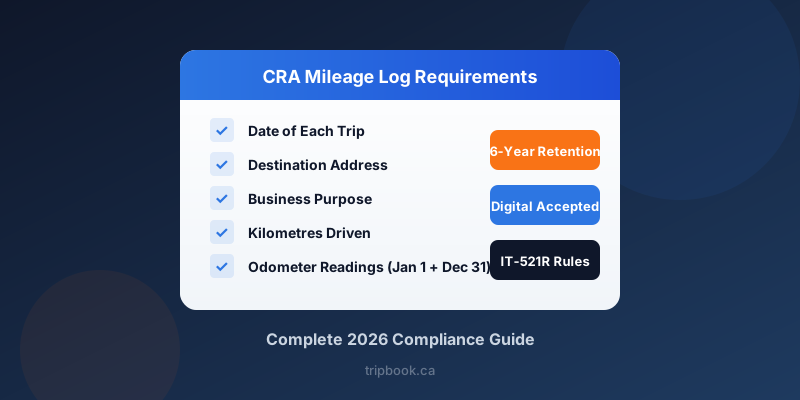
The CRA expects your logbook to record four pieces of information for every business trip: the date, the destination, the purpose of the trip, and the distance driven. You also need the odometer reading on January 1 and December 31 of each tax year to calculate total annual kilometres.
These requirements come from the T777 (Statement of Employment Expenses) and T2125 (Statement of Business or Professional Activities) instructions. Whether you are an employee with a signed T2200 or a self-employed contractor filing a T2125, the same core fields apply.
The CRA does not mandate a specific format. Paper notebooks, Excel spreadsheets, PDF documents, and digital apps are all accepted as long as the entries are recorded consistently and contemporaneously, meaning close to the time the trip actually happened.
The Ideal CRA Mileage Log Template Structure
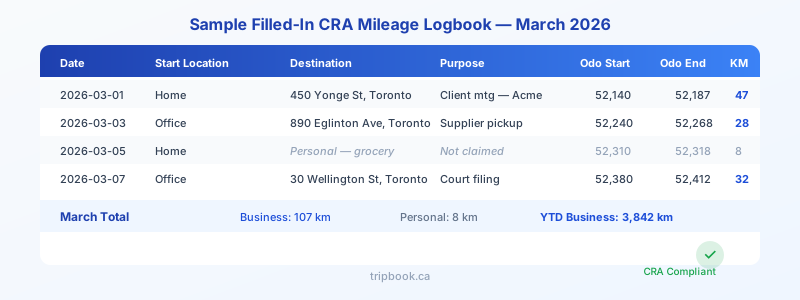
A compliant template needs columns that map directly to what the CRA asks for. Here is the structure you should use:
| Column | What to Record | Example |
|---|---|---|
| Date | Calendar date of trip | 2026-03-15 |
| Start Location | Where the trip began | Home (123 Maple Ave, Ottawa) |
| Destination | Address or business name | 450 Yonge St, Toronto |
| Business Purpose | Specific reason for the trip | Client meeting — Acme Corp |
| Odometer Start | Reading before departure | 52,140 km |
| Odometer End | Reading at arrival | 52,187 km |
| KM Driven | Distance for this trip | 47 km |
At the bottom of each month, add a summary row with total business kilometres, total personal kilometres, and cumulative year-to-date business kilometres.
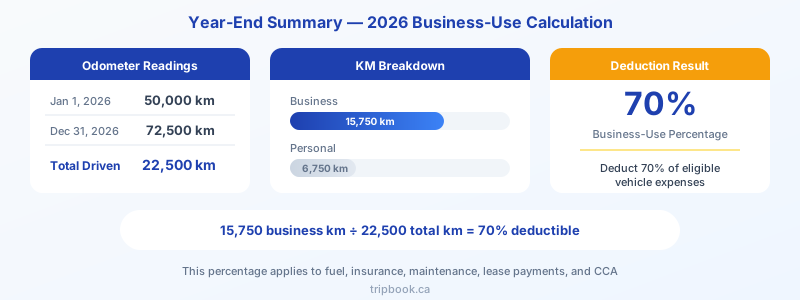
At year-end, your template should include an annual summary page:
- January 1 odometer reading
- December 31 odometer reading
- Total kilometres driven
- Total business kilometres
- Business-use percentage
This business-use percentage is the number the CRA uses to determine what share of your vehicle expenses you can deduct. For example, if you drove 22,500 km total and 15,750 km were for business, your business-use percentage is 70 percent, and you can deduct 70 percent of eligible vehicle costs.
Column-by-Column Breakdown: Why Each Field Matters
Date. The CRA uses dates to verify that your log was maintained throughout the year rather than reconstructed at tax time. Gaps in dates are an audit red flag. Record the date of every business trip on the day it happens.
Start Location. While not strictly required by the CRA, recording your starting point makes your log more credible and helps you calculate accurate distances. Most business trips start from your home or office.
Destination. Vague entries like “downtown” or “client” are not sufficient. Use a specific street address or at minimum the business name and city. An auditor will cross-reference your destinations with your client list or appointment calendar.
Business Purpose. Write a brief but specific description. “Client meeting — Acme Corp quarterly review” is strong. “Meeting” alone is weak. The CRA wants to confirm the trip was genuinely business-related.
Odometer Start and End. These readings let you calculate the exact distance of each trip. While the CRA only strictly requires odometer readings at the start and end of the fiscal year, recording them per trip produces a far more defensible log. Rounding errors compound over a full year and can make your log appear unreliable.
KM Driven. This is simply the difference between odometer end and odometer start. A spreadsheet or app can calculate this automatically.
Tips for Filling In Your Template Consistently
Consistency is what separates a logbook that survives an audit from one that does not. Here are practical habits that keep your records solid:
Log every trip on the same day it happens. The number-one reason logbooks fail audits is that they were clearly filled in after the fact. If your entries all use the same pen colour or if digital timestamps cluster on weekends, an auditor will notice.
Include personal trips. A log that shows only business driving looks suspicious. You do not need to record full details for personal trips, but noting “personal — not claimed” with the date and kilometres adds credibility.
Use a consistent format for dates and addresses. Pick one date format (such as YYYY-MM-DD) and one style for addresses, then stick with it all year.
Keep supporting receipts. Your mileage log works alongside fuel receipts, parking receipts, maintenance invoices, and insurance documents. The CRA may ask for both the log and the receipts during a review.
Remember the six-year rule. The CRA requires you to keep your mileage log and all supporting documents for six years after the end of the tax year. Your 2026 log must be retained until at least the end of 2032.
For a full breakdown of CRA record-keeping obligations, see CRA record-keeping requirements for vehicles.
Paper Template vs. Spreadsheet vs. App
Each method has trade-offs in cost, accuracy, and time.
Paper logbook. The cheapest option but the most error-prone. A single missed entry per week adds up to roughly 50 unlogged trips over a year. That can mean thousands of dollars in missed deductions. Paper logs can also be lost, damaged by water, or left in a vehicle that gets sold.
Spreadsheet. An improvement over paper because formulas handle the math automatically. You can build monthly and annual summaries that update as you enter data. However, you still need to type in every trip manually after it happens, and it is easy to fall behind.
Automatic tracking app. GPS detects every trip without manual input. You classify each trip as business or personal with a single tap. CRA-compliant reports are generated on demand. For anyone who drives more than a handful of business trips per week, an app eliminates the time cost and the risk of forgotten entries.
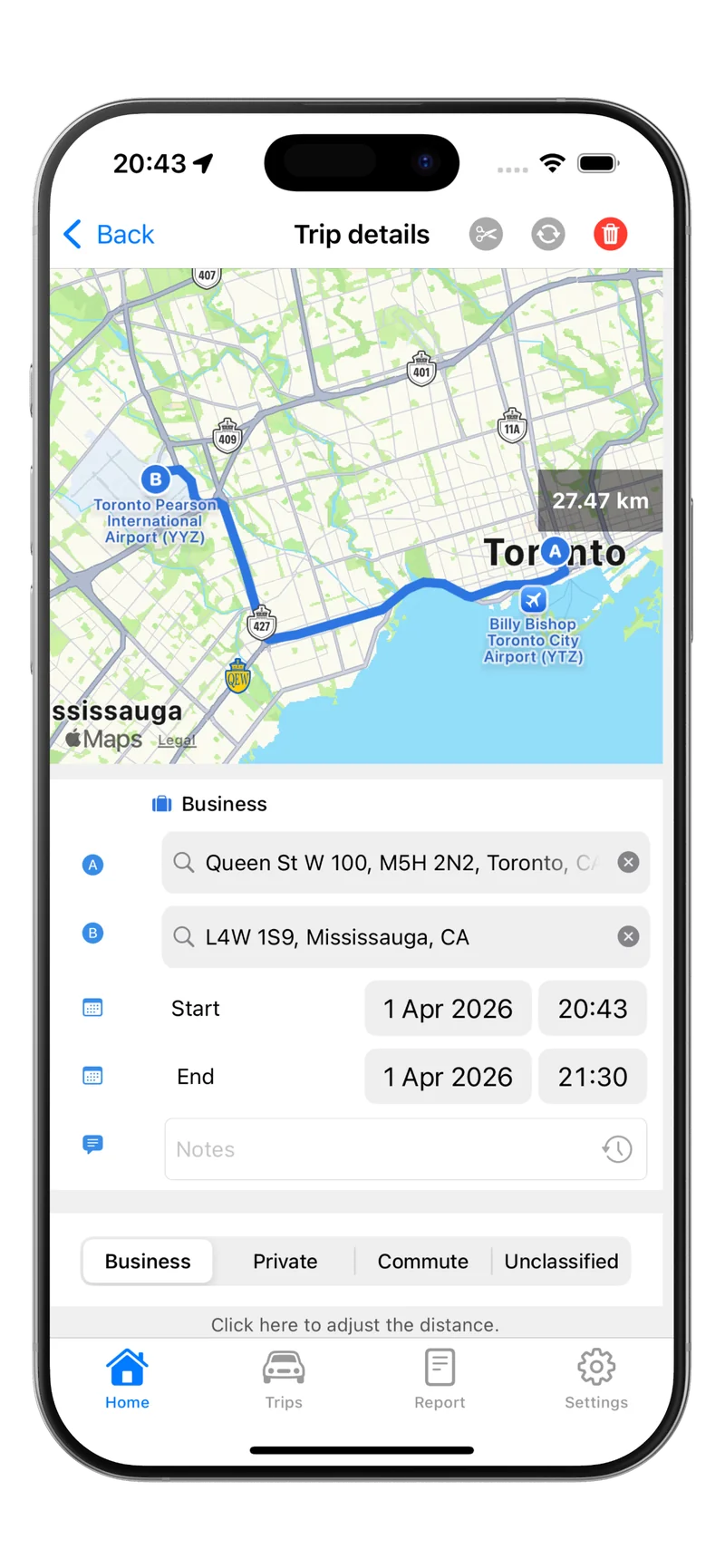
Tripbook automates the entire process. It tracks trips in the background using GPS, calculates distances, and produces tax-ready reports that include every column the CRA requires. No manual data entry, no year-end scramble to reconstruct your log. For a full look at what the CRA expects from your records, see CRA mileage log requirements.
When to Upgrade From a Template to an App
A free CRA mileage log template works well if you make fewer than five business trips per week and have the discipline to log every trip the same day. Beyond that threshold, manual tracking becomes a time sink with a high error rate.
If you drive daily for business — as a delivery driver, sales representative, consultant, real estate agent, or contractor — the return on switching to automatic tracking is immediate. Captured deductions that a manual log would have missed typically exceed the cost of the app many times over. For details on how to claim vehicle expenses on your return, see how to claim mileage on taxes in Canada.
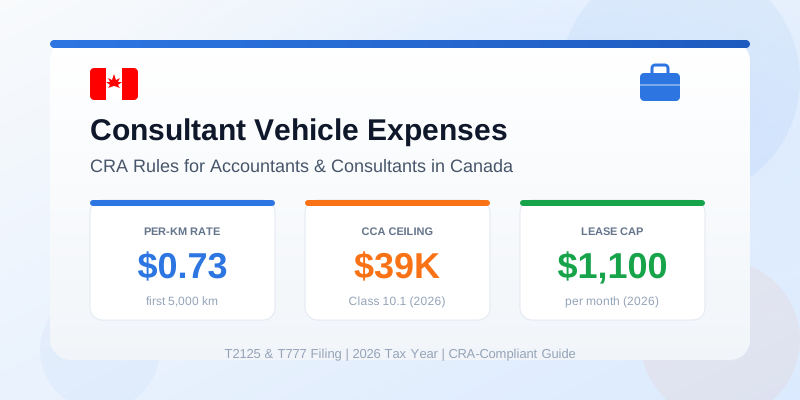
The 2026 CRA mileage rate is $0.73 per km for the first 5,000 business kilometres and $0.67 per km after that. At those rates, even 10 forgotten trips of 30 km each means $219 in lost deductions. Over a year of inconsistent manual logging, the real cost is usually far higher.
Download Tripbook to replace your manual CRA mileage log template with automatic GPS tracking. Every trip is captured, every required field is filled, and your 2026 tax report is ready whenever you need it.