Claiming vehicle expenses on your Canadian tax return starts with one thing: a mileage log the CRA will actually accept. Not every kilometre tracking app produces records that meet the standard. The Canada Revenue Agency has published specific rules covering what a log must contain, how long records must be kept, and whether digital formats are acceptable. If your app falls short on any of these points, your entire vehicle deduction is at risk during a reassessment.
This guide breaks down exactly what makes a kilometre tracking app CRA compliant, what features to look for before you commit, and how GPS-based tracking fits into the picture.
What the CRA Requires in a Mileage Log
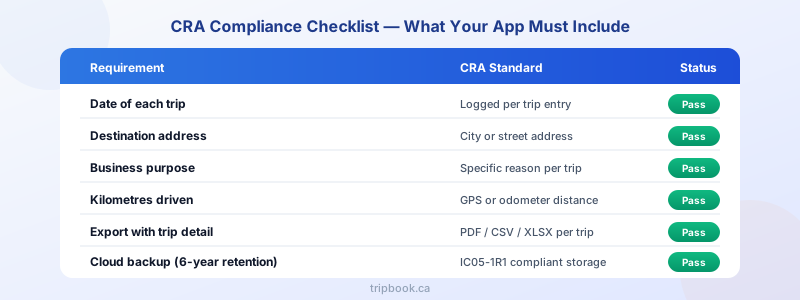
The CRA expects a mileage log to capture specific data points for every business trip driven during the tax year. According to CRA motor vehicle record-keeping guidelines, each entry must include:
- Date of the trip
- Destination — a city name or street address is sufficient
- Business purpose — must be specific (e.g., “client site visit at 200 Bay St” rather than just “work”)
- Kilometres driven on that trip
- Odometer readings at the start and end of the fiscal period (January 1 and December 31)
Beyond individual trips, the CRA also requires an annual summary showing total kilometres driven (business and personal combined), total business kilometres, and the resulting business-use percentage. This percentage is the figure applied to all vehicle expenses on form T2125 for self-employed taxpayers or T777 for salaried employees.
A kilometre tracking app that only records distance without capturing the date, destination, and purpose does not produce a compliant log. All fields must appear in the exportable record. For the full breakdown of every required field, see CRA mileage log requirements.
Digital Records vs. Paper — What IC05-1R1 Says
Many drivers still wonder whether the CRA accepts a digital mileage log or whether a paper notebook is safer. The answer is clear: the CRA fully accepts digital records. Information Circular IC05-1R1, the CRA’s official guidance on electronic record keeping, confirms that taxpayers may maintain and store business records electronically, provided those records meet several conditions:
- Records must be stored in a non-proprietary, commonly used format that CRA auditors can process on their own equipment
- Electronic records must remain accessible and readable for the entire six-year retention period, even if the original software changes
- Backup copies should be maintained, preferably stored within Canada
- If records are encrypted, they must be decryptable and legible when requested by the CRA
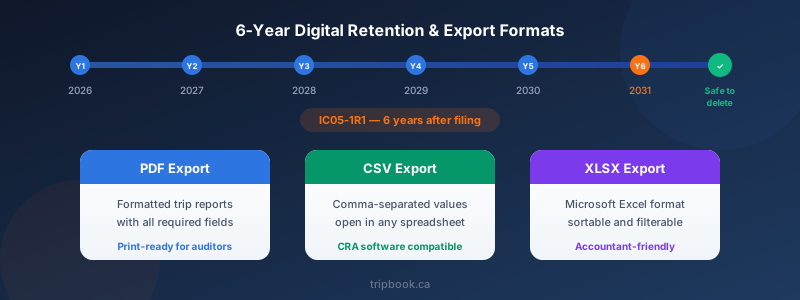
IC05-1R1 does not require you to print digital records. A PDF, CSV, or Excel export stored in the cloud satisfies the requirement as long as you can produce the file on request. Paper printouts are acceptable but not mandatory.
This is a significant advantage for app-based tracking. A well-designed kilometre tracking app stores your data in the cloud, creates automatic backups, and lets you export previous tax years at any time — all of which align directly with IC05-1R1’s requirements.
Export Formats the CRA Accepts
The CRA does not mandate a single file format for mileage records, but auditors need to review individual trip entries, not just summary totals. Your app’s export must show each trip with all required fields in a legible, sortable format. Acceptable export types include:
- PDF reports showing trip-by-trip detail with dates, destinations, purposes, and distances
- CSV files that can be opened in any spreadsheet application
- XLSX (Excel) files with sortable columns
An app that only produces a monthly or annual total without individual trip detail will not survive a CRA review. Auditors compare individual log entries against calendar appointments, invoices, and receipts to verify that claimed trips actually occurred. The export needs to support that level of scrutiny.
How Automatic GPS Tracking Works
Modern kilometre tracking apps use GPS to record trips automatically, removing the need to write down odometer readings or estimate distances after the fact. Here is how GPS-based tracking typically works:
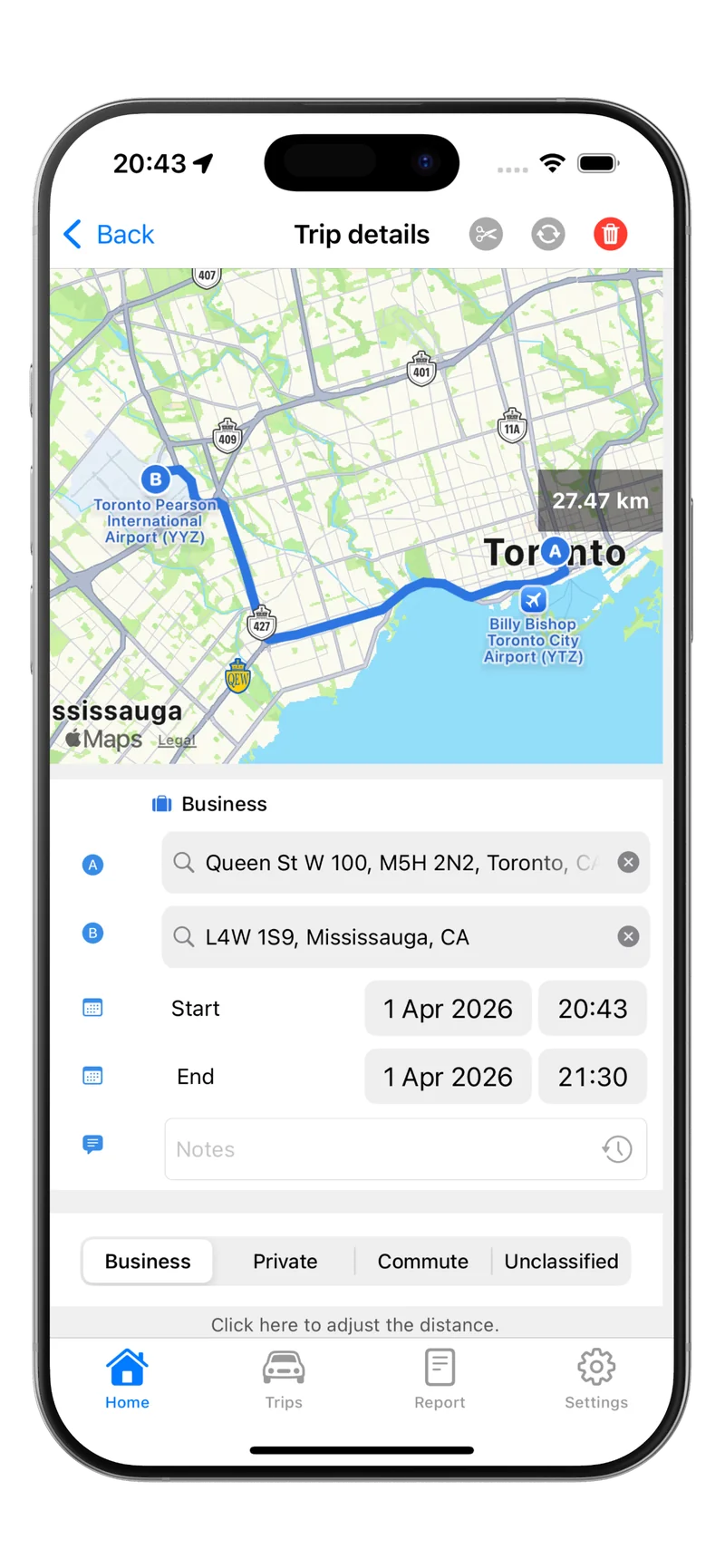
- Trip detection — the app detects vehicle motion through GPS sensors or a Bluetooth connection to a device in the car and starts recording automatically
- Route logging — GPS coordinates are captured throughout the trip, creating a verifiable route with start and end points
- Distance calculation — the app calculates trip distance from the GPS coordinates, which is generally more accurate than reading the odometer manually
- Driver classification — after each trip, the driver categorizes it as business or personal and enters the business purpose
GPS data provides a strong audit trail because coordinates are timestamped and difficult to fabricate retroactively. The CRA accepts GPS-calculated distance as an equivalent to odometer readings. However, GPS cannot know why you drove somewhere — the driver must always enter the business purpose manually. No app can automate that step and remain compliant.
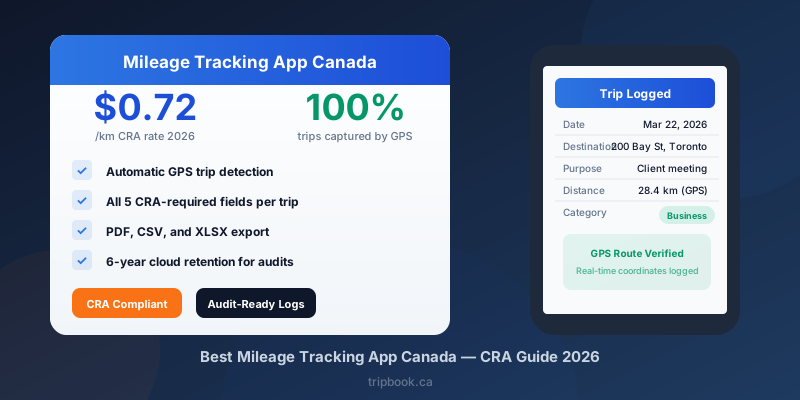
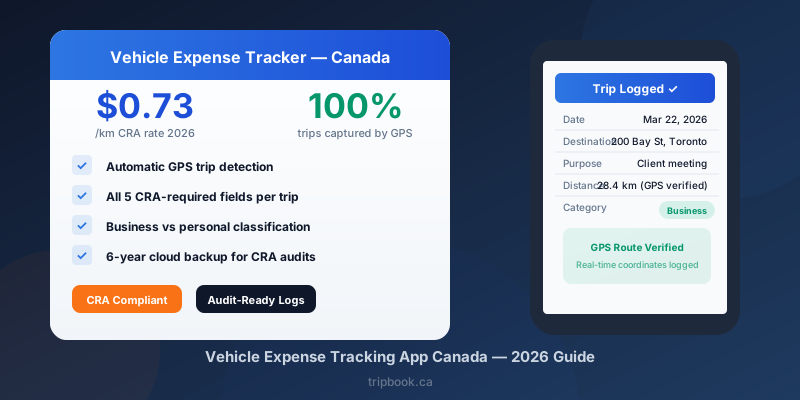
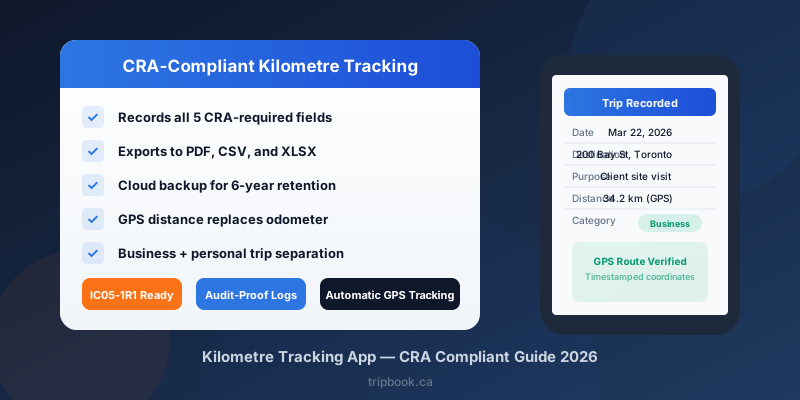
Tripbook uses GPS-based tracking to record every trip with the date, route, and calculated distance captured automatically. The driver adds the business purpose and classification, and Tripbook handles the rest: cloud backup, annual summaries, and exports in PDF and CSV formats that satisfy CRA requirements.
The Simplified Logbook Method and App Tracking
The CRA offers a simplified logbook method that reduces record-keeping work after your first full year. Under this method, you maintain a complete logbook for one base year, then track only a three-month sample period in subsequent years. The CRA uses the sample to project your annual business-use percentage, provided it falls within 10 percentage points of the base year figure.
To qualify for the simplified method:
- You must have a complete log for the base year with every trip recorded
- The three-month sample must cover consecutive months within the same calendar year
- Your business-use pattern must remain consistent with the base year
An app that has been tracking continuously since your base year makes this straightforward. You do not need to change your behaviour or start a separate log — the app already has the data. Tripbook, for example, can generate both the full base-year report and the three-month sample from the same dataset, so switching to the simplified method requires no extra effort. For more on this approach, see CRA simplified logbook method.
Features That Separate a Compliant App from an Incomplete One
Not every app that claims CRA compliance actually delivers it. Before relying on any kilometre tracking app for your tax records, verify that it includes the following:
- Business purpose field — if the app has no place to enter why you drove, every trip is missing a required field
- Personal and business trip tracking — without total kilometres (personal plus business), the business-use percentage cannot be calculated
- Individual trip exports — summary-only exports do not meet CRA audit standards
- Cloud backup — records stored only on your phone are lost if you switch devices, and the CRA requires six years of accessible data
- Multi-year access — you need records going back six years, not just the current tax year
- Exportable formats — at minimum, PDF and CSV so auditors can review and process your data
If your current tracking method is a spreadsheet, consider reviewing our CRA mileage log Excel template as a starting point, then moving to an app that automates the process.
Download Tripbook to start tracking your business kilometres with a GPS-based app built for CRA compliance. Tripbook records all required fields automatically, backs up to the cloud, and exports year-end reports you can hand directly to your accountant or present during a CRA review.