Running a business in Canada means vehicle costs add up fast — fuel, insurance, maintenance, lease payments, and depreciation all eat into margins. The CRA lets you deduct a portion of those costs, but only when you can prove every business trip with a proper logbook. A vehicle expense tracking app eliminates the manual work by recording trips automatically, categorizing expenses on the fly, and generating audit-ready reports that satisfy every CRA requirement.
This guide covers why Canadian businesses need a dedicated tracking app, what the CRA demands from your records, how automatic GPS tracking works for solo operators and fleets alike, and what features to prioritize when choosing a solution.
Why Canadian Businesses Need a Dedicated Tracking App
The CRA does not accept estimates. Every vehicle expense deduction depends on a single number: your business-use percentage, calculated by dividing business kilometres by total kilometres driven during the year. Get that number wrong — or fail to document it — and the entire deduction is at risk.
Manual logbooks are where most claims fall apart. Research consistently shows that drivers who track trips by hand underreport actual business mileage by 20 to 30 percent because forgotten trips never make it into the log. Over a full year, that gap translates directly into lost deductions.
Consider a small-business owner driving 25,000 km annually for work with $14,000 in vehicle expenses. At a 75% business-use rate, the deductible amount is $10,500. If poor record-keeping reduces the documented rate to 55%, only $7,700 is deductible — a difference of $2,800 in missed deductions. At a 40% marginal tax rate, that costs $1,120 in extra tax every single year.
A vehicle expense tracking app built for the Canadian market solves this by recording every trip the moment you start driving. Nothing is forgotten, nothing is estimated, and the business-use percentage is always backed by GPS data.
What the CRA Requires From Your Vehicle Records
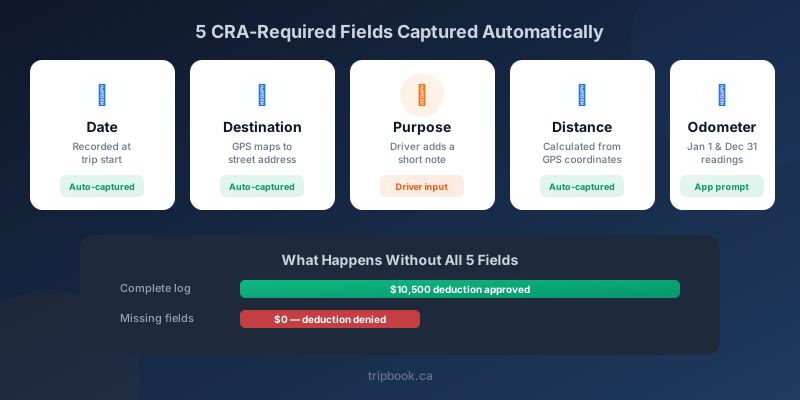
The Canada Revenue Agency does not prescribe a specific format — paper, spreadsheets, and apps are all acceptable. But every method must capture the same mandatory fields for each trip:
- Date of the trip
- Destination — a street address or identifiable location
- Business purpose — a brief note such as “client meeting” or “supply delivery”
- Distance driven in kilometres
- Odometer readings at the start and end of each fiscal period (January 1 and December 31)
Beyond individual trips, your records must show total annual kilometres driven (business and personal combined) so the business-use percentage can be calculated accurately. The CRA requires you to retain these records for a minimum of six years after the tax year in question, and under Information Circular IC05-1R1, digital records are treated identically to paper as long as they remain legible, unaltered, and accessible on request.
Without these fields, an auditor treats the record as incomplete. The deduction is reduced or disallowed entirely. For a deeper look at every field the CRA expects, see our guide to CRA mileage log requirements.
How Automatic GPS Tracking Works
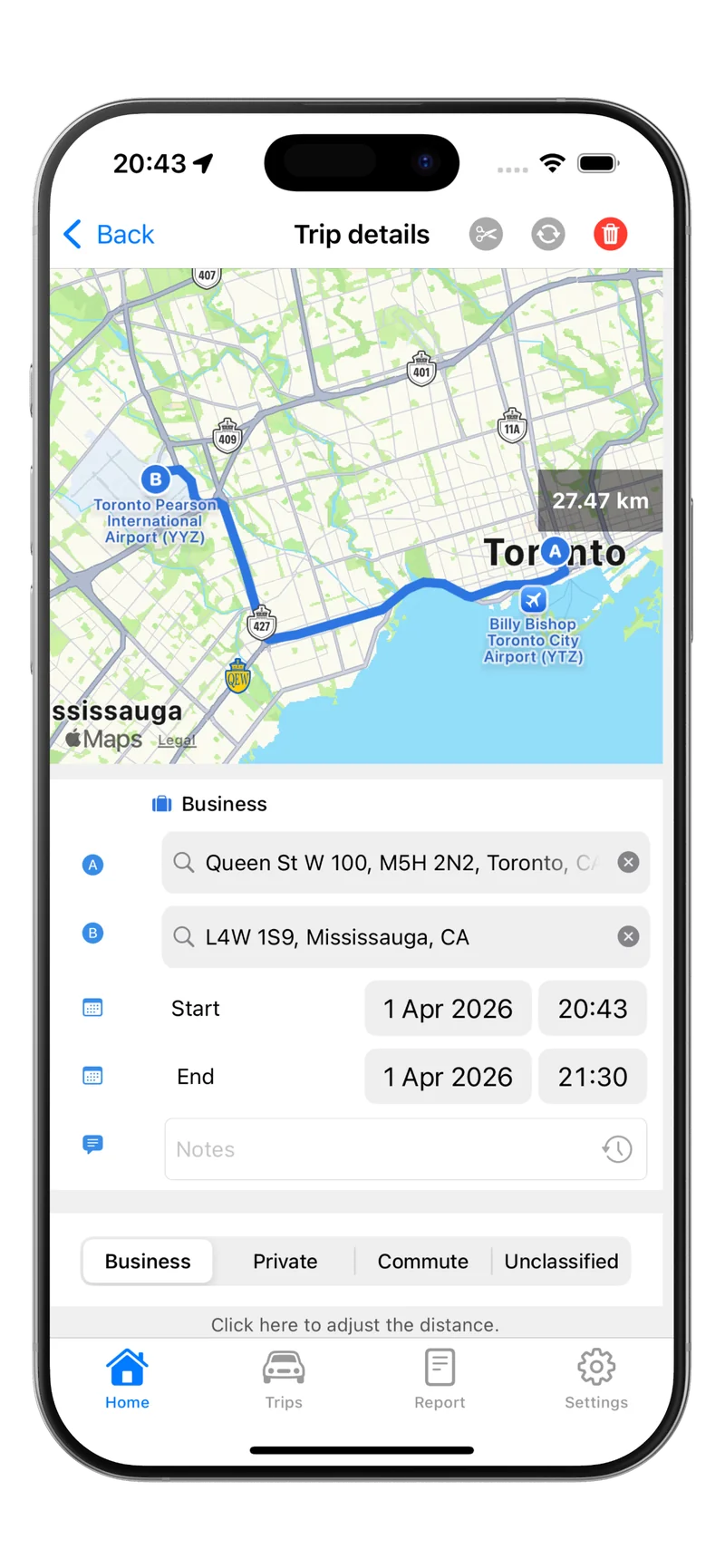
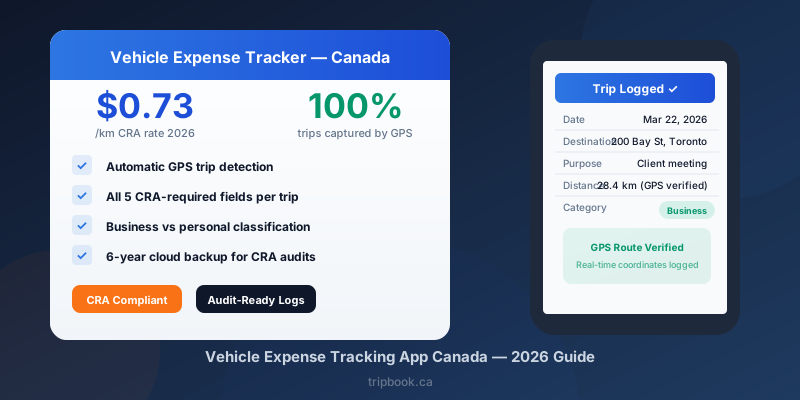
A GPS-based vehicle expense tracking app like Tripbook runs in the background on your phone. The moment your vehicle starts moving, the app detects the trip and begins logging:
- Exact start and end times — the date is captured automatically
- GPS route — real-time coordinates trace the path you drove
- Distance — calculated from GPS data, more precise than odometer estimation
- Start and end locations — mapped to street addresses for the destination field
The only field that still requires driver input is the business purpose, because only the driver knows why a particular trip occurred. A short note — “warehouse pickup,” “sales call,” “site inspection” — takes seconds to add after the trip ends.
The result is a logbook with zero reconstructed data. Every entry reflects real-time GPS coordinates, not estimates typed from memory days later. When an auditor reviews the log, they see trips backed by verifiable location data rather than manual entries that could have been fabricated.
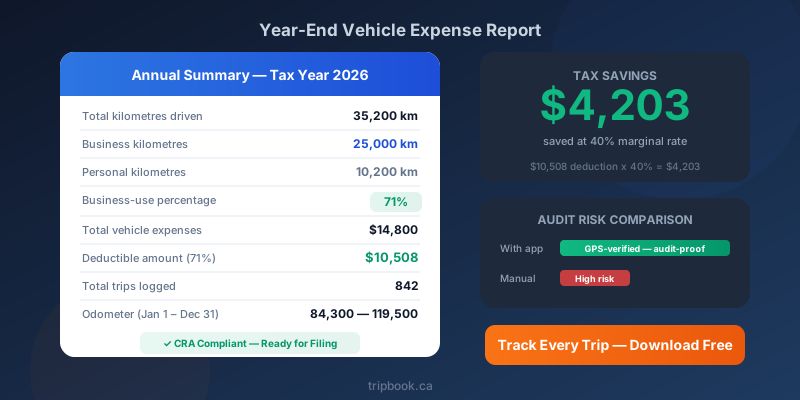
Tripbook also lets you classify each trip as business or personal with a single swipe. At year-end, the app calculates your business-use percentage automatically and generates a summary report showing total kilometres, business kilometres, and the trip-by-trip detail the CRA requires.
Solo Operators vs. Fleet Tracking — Choosing the Right Approach
Not every business has the same tracking needs. A self-employed consultant driving one vehicle has different requirements than a construction company managing a crew of ten trucks.
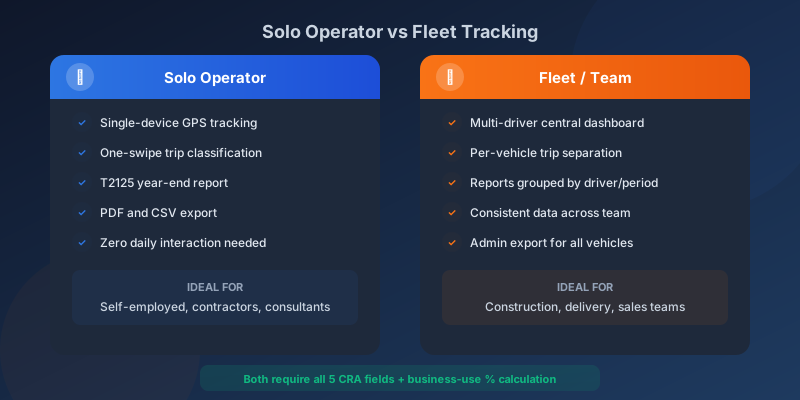
Solo operators and self-employed professionals need an app that runs on a single phone, captures every trip without manual start-and-stop buttons, and exports a year-end report for their T2125. The priority is simplicity — the app should require almost no daily interaction beyond classifying trips.
Small fleets and businesses with employees need visibility across multiple drivers. Fleet tracking features include:
- A central dashboard showing trip logs for every vehicle
- The ability to separate business and personal trips per driver
- Exportable reports for each vehicle, grouped by driver or time period
- Consistent data collection across the team, regardless of individual habits
Whether you operate solo or manage a fleet, the core requirement is the same: the app must capture all five CRA-mandated fields for every trip, calculate the business-use percentage accurately, and produce reports that survive an audit. For details on vehicle write-offs once your tracking is in place, see small business vehicle write-off Canada.
Features That Separate a Good App From a Risky One
Not all tracking apps meet CRA standards. Here is what to evaluate before committing to a solution:
Automatic trip detection — The app must detect driving and start recording without requiring you to tap a button. If you forget to start a trip manually, that trip is lost. Automatic detection eliminates human error entirely.
All five CRA fields in every export — An app that only shows total kilometres or distance summaries is not sufficient. The export must include date, destination, purpose, distance, and odometer-equivalent data for each individual trip.
Business vs. personal classification — Trips need clear categorization. The app should make it simple to tag trips immediately after they end and should never mix the two categories in reports.
Year-end summary report — The CRA requires annual totals. Your app should produce a single report showing total kilometres driven, total business kilometres, the business-use percentage, and a complete trip-by-trip log — ready to hand to your accountant or submit during an audit.
Cloud backup and six-year retention — Digital records must be accessible for six years. An app that stores data only on your phone creates a single point of failure. Cloud backup ensures your records survive a lost or broken device.
Canadian-specific compliance — Apps built for the U.S. market often track miles rather than kilometres and generate reports around IRS rules. A vehicle expense tracking app designed for Canada uses kilometres by default, references CRA requirements, and formats exports to match what Canadian accountants expect.
The Cost of Not Tracking Properly
The financial risk of incomplete records is straightforward to calculate. A business owner driving 20,000 km per year for business, claiming $12,000 in annual vehicle expenses at a 70% business-use rate, deducts $8,400. If a CRA audit disallows that deduction because the logbook is incomplete or reconstructed, the tax impact at a 40% marginal rate is $3,360 — plus interest and potential penalties that can push the total past $4,000.
That is the cost for a single year. The CRA can audit multiple years simultaneously, and the six-year retention window means exposure accumulates. An app that costs a few dollars per month and tracks every trip automatically is the cheapest insurance a Canadian business can carry against this risk.
For self-employed business owners, vehicle deductions are claimed on the T2125 form. Our guide to self-employed vehicle expenses Canada walks through every deductible category and the business-use percentage calculation step by step.
Download Tripbook from the App Store to start building a GPS-verified, CRA-compliant mileage log today. Tripbook records every required field automatically, classifies trips with a single swipe, and generates the year-end report your accountant needs to claim every vehicle deduction you have earned.