If you deliver for DoorDash, Instacart, Amazon Flex, UberEats, or GrubHub, you are self-employed. That means you file taxes differently than a regular W-2 employee, and you are responsible for reporting your own income and expenses on Schedule C.
The upside is that you can deduct every legitimate business expense, and for delivery drivers, those deductions are substantial. Most full-time drivers can cut their taxable income by 40% or more. Here is every deduction you should know about.
Mileage: Your Largest Deduction by Far
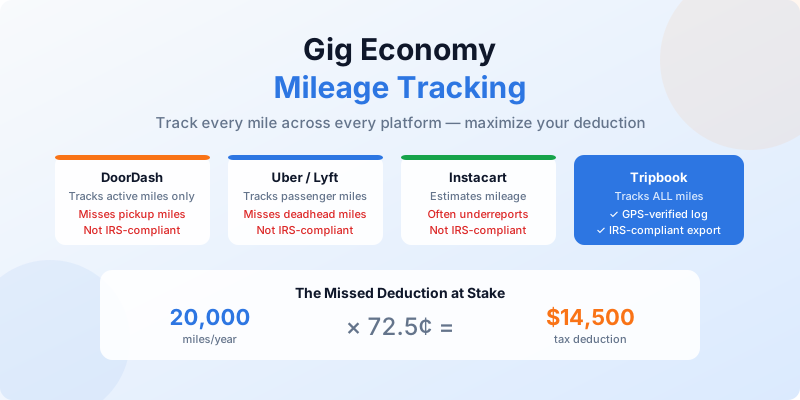
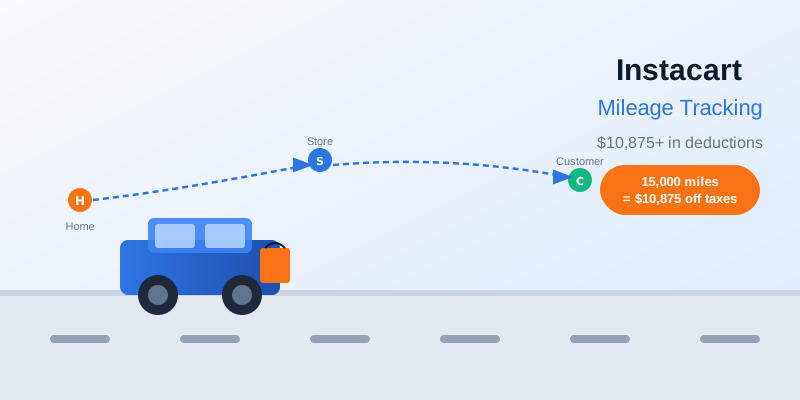
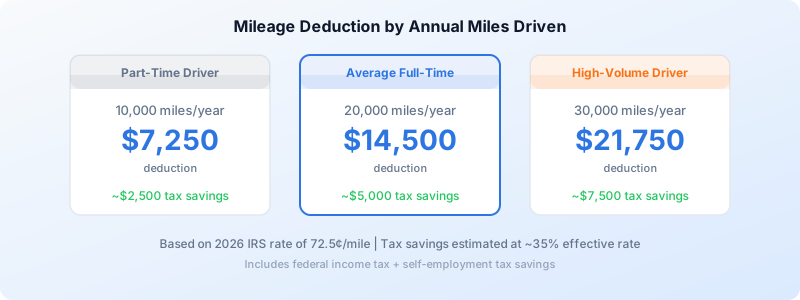
Mileage is the single biggest tax deduction for delivery drivers. Full-time drivers typically log 15,000 to 25,000 business miles per year. At the 2026 IRS rate of 72.5 cents per mile, that translates to a deduction between $10,875 and $18,125.
What Miles Count
Every mile you drive while logged into a delivery app counts as a business mile, including:
- Driving to pick up an order from the restaurant or store
- Delivering the order to the customer
- Driving between orders while staying logged in and available
- Driving to a busy zone to increase your chances of getting orders
The miles that do not count are your drive from home to wherever you start your shift (your commute) and your drive home at the end. However, if you have a qualifying home office, even those trips become deductible.
Tracking Is Non-Negotiable
The IRS requires a contemporaneous mileage log, meaning you record trips at or near the time they happen. Reconstructing your mileage from memory at tax time is not acceptable and puts your deduction at risk in an audit.
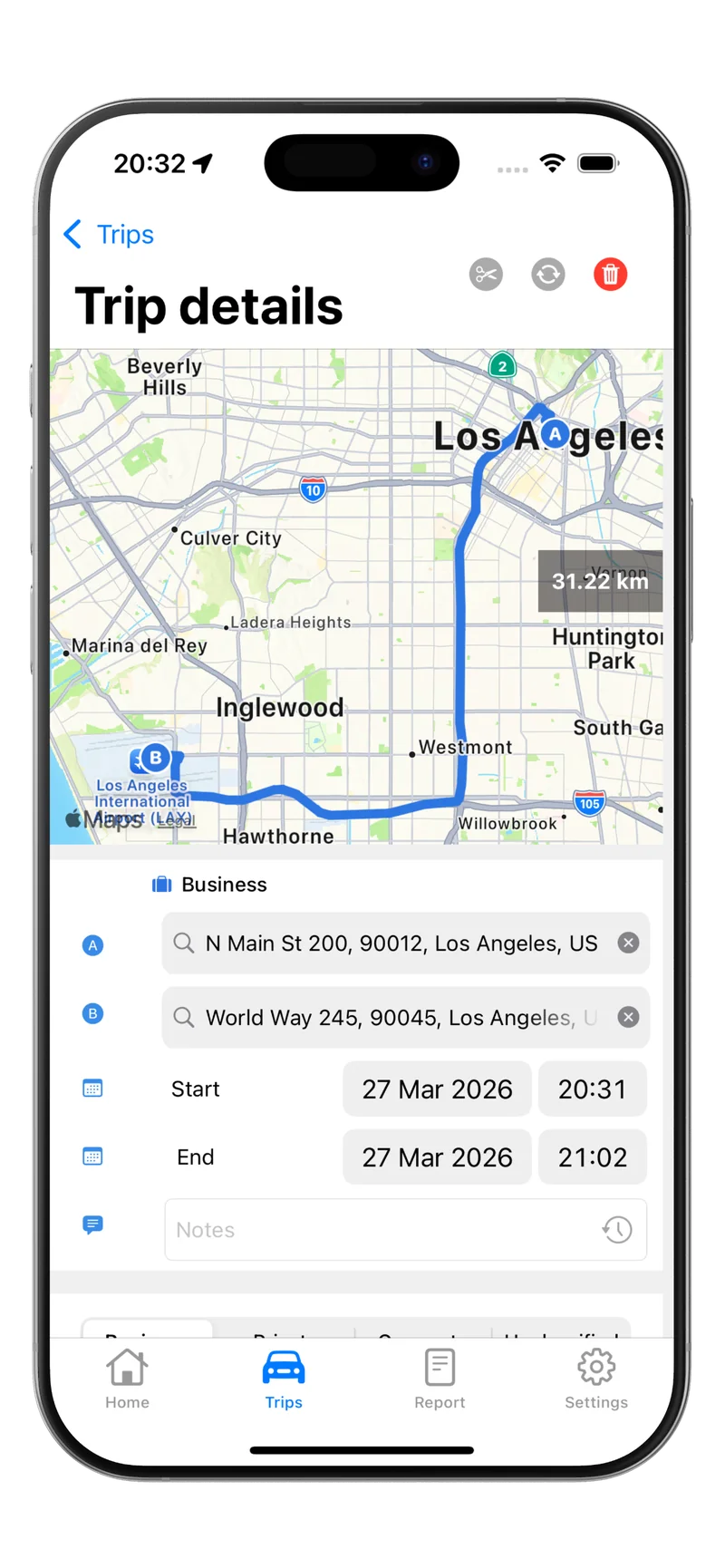
Tripbook tracks your drives automatically using GPS. You classify each trip with a swipe and export IRS-compliant reports when tax season arrives. For drivers juggling multiple delivery apps, automatic tracking eliminates the guesswork.
Most delivery drivers should use the standard mileage rate (72.5¢/mile) because it is simpler and usually results in a larger deduction than tracking actual vehicle costs. You cannot use both methods for the same vehicle. Learn more in our comparison guide.
Phone and Phone Accessories
Your smartphone is essential for delivery work. You can deduct the business-use percentage of your:
- Monthly phone plan. If you use your phone 75% for deliveries and 25% for personal use, deduct 75% of the bill.
- Phone purchase or payments. The same business-use percentage applies to the device itself.
- Phone mount, charger, and cables. These are 100% deductible if used exclusively for delivery driving.
- Phone case and screen protector. Deductible at the business-use percentage.
A $150/month phone plan at 75% business use gives you a $1,350 annual deduction.
Hot Bags, Cooler Bags, and Delivery Equipment
Insulated bags, cooler bags, drink carriers, and any other equipment you buy specifically for deliveries are 100% deductible. This includes:
- Insulated food delivery bags
- Drink carriers and cup holders
- Cooler bags for Instacart grocery deliveries
- Cargo organizers and bins for your trunk
- High-visibility vest or safety gear
Keep your receipts. These small purchases add up over a year.
Parking and Tolls
Parking fees and tolls paid during deliveries are fully deductible. This includes metered parking, parking garage fees, and electronic toll charges. Parking tickets, however, are not deductible.
If you drive through toll roads regularly, your annual toll costs can reach hundreds of dollars. Save those receipts or keep a log of toll charges from your transponder statements.
Other Deductible Expenses
Beyond the big-ticket items, delivery drivers can deduct:
- Car washes. The business-use percentage of keeping your vehicle clean for deliveries.
- Roadside assistance and AAA. Deduct the business percentage.
- Cleaning supplies. Wipes, sprays, and sanitizers used to keep your vehicle clean for customers.
- Masks and gloves. If required or used during deliveries.
- Bottled water and snacks for yourself. These are not deductible. Only meals with a clear business purpose (like meeting a tax advisor) qualify.
How to File: Schedule C Walkthrough
As a delivery driver, you report your income and expenses on Schedule C (Form 1040). Here is how the key sections work:
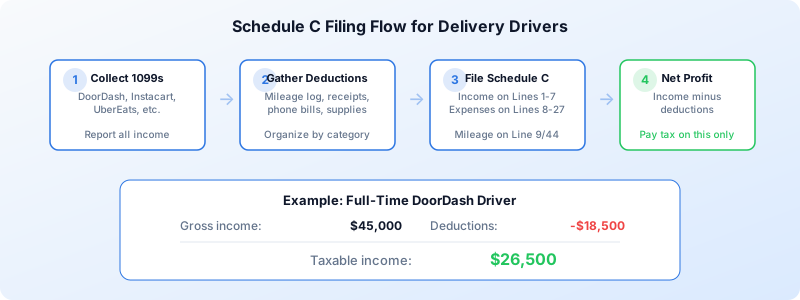
Part I: Income (Lines 1-7)
Report your total gross income from all delivery platforms. You will receive a 1099-NEC from each platform where you earned $600 or more. Even if a platform does not send a 1099, you still must report the income.
Add up your earnings from every app: DoorDash, Instacart, UberEats, Amazon Flex, GrubHub, Spark, and any others.
Part II: Expenses (Lines 8-27)
This is where your deductions go. The most relevant lines for delivery drivers:
- Line 9: Car and truck expenses (your mileage deduction)
- Line 15: Insurance (business portion of auto insurance if using actual expenses)
- Line 22: Supplies (hot bags, cleaning supplies, phone accessories)
- Line 25: Utilities (business portion of phone bill)
- Line 27a: Other expenses (tolls, parking, car washes)
Part IV: Vehicle Information (Lines 33-44)
If you are claiming the standard mileage rate, complete this section with your total miles driven for the year and your business miles. This is where your mileage log becomes essential.
As a self-employed delivery driver, you are expected to pay estimated taxes quarterly (April 15, June 15, September 15, and January 15). Missing these deadlines can result in penalties. Use IRS Form 1040-ES to calculate and pay.
Real-World Example: Full-Time DoorDash Driver
Let us walk through a realistic scenario for a full-time DoorDash driver in 2026.
| Item | Amount |
|---|---|
| Gross delivery income | $45,000 |
| Business miles driven | 22,000 |
| Deductions | |
| Mileage (22,000 x $0.725) | $15,950 |
| Phone (75% of $1,800/yr) | $1,350 |
| Hot bags and supplies | $200 |
| Parking and tolls | $500 |
| Car washes (business %) | $180 |
| Phone accessories | $120 |
| Total deductions | $18,300 |
| Taxable income | $26,700 |
Without deductions, this driver would owe taxes on $45,000. With deductions, the taxable amount drops to $26,700. At a combined federal and self-employment tax rate of roughly 35%, those deductions save approximately $6,400 in taxes.
Multi-App Drivers: Combine All Income
If you drive for multiple platforms, combine all your delivery income on a single Schedule C. You do not need a separate Schedule C for each app. However, you should keep your 1099 forms organized to make sure your total reported income matches what the IRS has on file.
Your deductions apply to your entire delivery driving activity, not to individual platforms. One mileage log covers all your delivery driving regardless of which app you were using.
Common Mistakes to Avoid
Not tracking mileage from day one. You cannot retroactively reconstruct a mileage log. Start tracking now, even if tax season is months away. Read our guide on IRS mileage log requirements to make sure your records hold up.
Deducting commute miles. Your drive from home to your first delivery zone is a commute, not a business trip (unless you have a home office).
Forgetting to report all income. If a platform paid you less than $600, you might not get a 1099, but you still owe taxes on that income. The IRS cross-references payment data.
Mixing personal and business expenses. Only deduct the business percentage of shared expenses like your phone. Claiming 100% when you also use it personally is a red flag.
Start Tracking Your Deductions Today
The difference between a driver who tracks everything and one who does not can be thousands of dollars at tax time. Mileage alone accounts for the majority of your savings, and it is the easiest deduction to automate.
Download Tripbook on the App Store and start recording every delivery mile automatically. When tax season comes, export your report and hand it to your tax preparer or plug the numbers into Schedule C yourself.