Getting employer mileage reimbursement best practices right saves your company money, protects employees from surprise tax bills, and keeps the IRS off your back. With the 2026 standard mileage rate set at $0.725 per mile and new legislation making accountable plans more important than ever, now is the time to audit your program.
This guide walks through the key steps every employer should take to build a reimbursement program that is compliant, fair, and simple to manage.
Why Best Practices Matter More in 2026
The One Big Beautiful Bill Act (OBBBA), signed in July 2025, permanently eliminated the ability for W-2 employees to deduct unreimbursed business expenses on their personal tax returns. Before the TCJA in 2018, employees who were not reimbursed could recover some costs at tax time through itemized deductions. The TCJA suspended that option through 2025, and the OBBBA has now made the elimination permanent.
The practical result: employees who drive for work now rely entirely on their employer’s reimbursement program. A poorly run program costs your team real money and can hurt retention, especially for roles that require heavy driving like sales reps, field technicians, and home health workers.
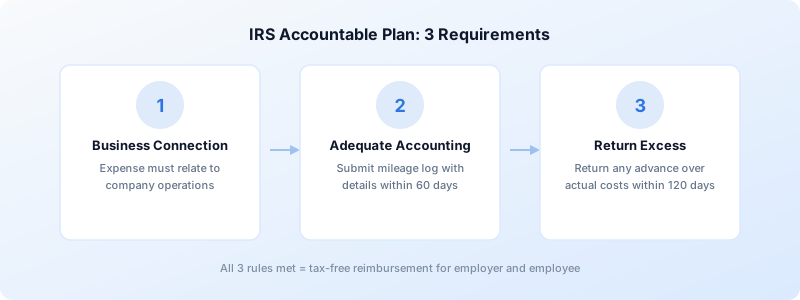
Set Up an IRS Accountable Plan
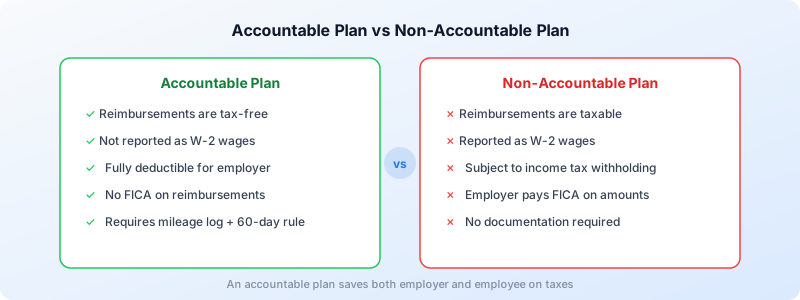
An accountable plan is the foundation of any tax-free mileage reimbursement program. Without one, every dollar you reimburse is treated as taxable wages, meaning extra payroll tax for you and extra income tax for your employees.
The IRS requires three conditions for an accountable plan:
- Business connection — The expense must relate directly to your company’s operations. Client visits, job-site travel, and supply runs count. Daily commuting does not.
- Adequate accounting — Employees must submit documentation (a mileage log with dates, destinations, purposes, and miles) within 60 days of the expense.
- Return of excess — If an employee receives an advance that exceeds actual costs, the difference must be returned within 120 days.
Miss any one of these rules and the entire reimbursement shifts to a non-accountable plan, triggering income tax withholding and FICA on every payment. For a deeper look at the tax side, see our guide on whether mileage reimbursement is taxable.
Advances within 30 days of the expense, substantiation within 60 days, and return of excess within 120 days. Follow this 30/60/120 rule and the IRS will presume your plan is compliant.
Choose the Right Reimbursement Rate
Most employers use the IRS standard mileage rate as their benchmark. For 2026, that rate is $0.725 per mile for business use. Other rates to know:
- Medical / moving (active-duty military): $0.205 per mile
- Charitable driving: $0.14 per mile
Reimbursing at or below $0.725 keeps the full payment tax-free. If you pay above the IRS rate, the overage is treated as taxable compensation.
Some employers choose a rate below the IRS standard to control costs. That is legal, but keep in mind that underpaying drivers can lead to turnover and may violate state labor laws in places like California, Illinois, and Massachusetts, where employers must cover necessary business expenses at a reasonable level.
Define Which Trips Qualify
A clear policy prevents disputes and protects your accountable plan status. At a minimum, spell out the following:
- Eligible trips: Client meetings, job-site visits, supply pickups, off-site training, travel between work locations.
- Ineligible trips: Home-to-office commuting, personal errands, side trips that are not business-related.
- Edge cases: Employees who work from home and drive to the office, temporary job-site assignments, travel on days off.
Document these rules in your mileage reimbursement policy and make sure every driver receives a copy during onboarding.
Require Detailed Mileage Logs
The IRS expects contemporaneous records for every business trip. Each entry should include:
- Date of the trip
- Starting and ending addresses
- Business purpose (e.g., “Client meeting with Acme Corp”)
- Total miles driven
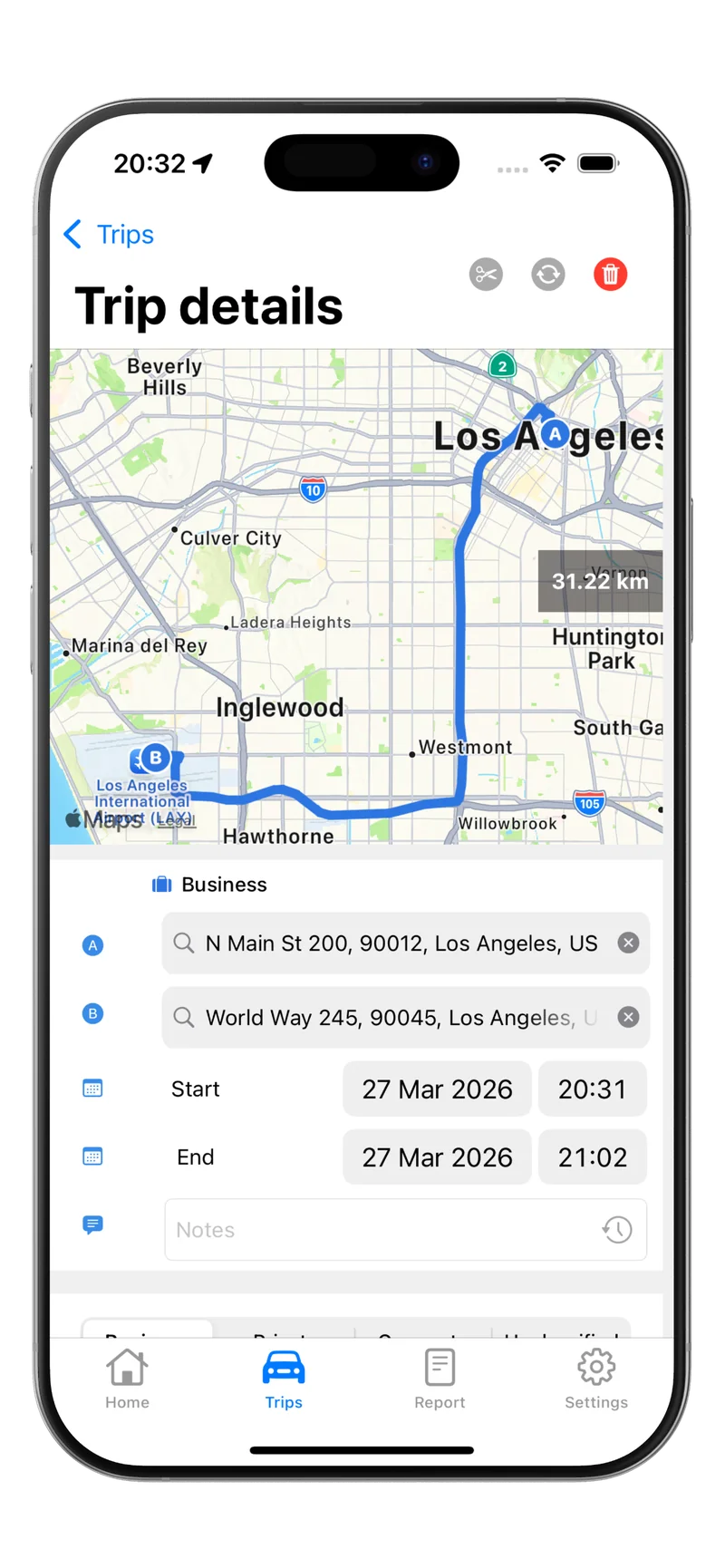
Paper logs work, but they are slow, error-prone, and hard to audit. GPS-based mileage tracking apps record trips automatically, tag them as business or personal in real time, and export clean reports that satisfy IRS documentation standards. This is where a tool like Tripbook saves hours for both drivers and administrators.
The IRS requires that mileage records be kept for at least three years from the date you file the return that includes the reimbursement. Digital records stored in the cloud make long-term retention easy.
Streamline the Submission and Approval Process
A best-practice reimbursement workflow looks like this:
- Employee logs trips daily or weekly using a tracking app.
- Employee submits a report at the end of each pay period (or monthly, depending on your cycle).
- Manager reviews and approves the report, checking for unusual patterns or missing details.
- Finance processes payment in the next payroll run or as a separate reimbursement.
Set a firm submission deadline. The IRS 60-day rule gives you a framework, but many companies require submissions within 30 days to keep records current. Late submissions should follow an escalation path rather than an automatic denial, since rejecting legitimate expenses can create legal exposure in states with mandatory reimbursement laws.
Audit and Update Your Program Annually
Mileage reimbursement is not a set-it-and-forget-it policy. Review your program at least once a year to address:
- Rate changes: The IRS adjusts the standard mileage rate each January. Build a process to update your reimbursement rate promptly.
- State law updates: Several states have recently tightened expense reimbursement requirements. Check California, Illinois, Massachusetts, New York, and any other state where you have employees.
- Policy gaps: Look at denied claims, employee complaints, and audit findings to identify areas where your policy language is unclear.
- Technology adoption: If you are still using spreadsheets or paper forms, evaluate whether a mileage tracking app would reduce errors and processing time.
For employees looking to understand their rights under your program, our mileage reimbursement for employees guide covers the employee perspective.
Common Mistakes to Avoid
Even well-intentioned employers slip up. Watch out for these frequent errors:
- Paying a flat car allowance with no mileage tracking. Without substantiation, the entire allowance is taxable income under a non-accountable plan.
- Reimbursing commuting miles. Home-to-office travel is personal mileage, period. Including it in reimbursement blows your accountable plan status.
- Ignoring the 120-day return rule. If employees receive advances and never account for or return the excess, the IRS can reclassify the entire program.
- Using one rate for all states. Fuel and insurance costs vary widely. Consider regional adjustments or a FAVR (Fixed and Variable Rate) program for large fleets.
Employer Mileage Reimbursement Best Practices Checklist
Use this quick checklist to evaluate your current program:
- Accountable plan formally documented and distributed
- Reimbursement rate set at or below $0.725/mile for 2026
- Clear list of eligible and ineligible trip types
- Mileage log requirement with date, destination, purpose, and miles
- Submission deadline within 60 days (30 days recommended)
- Manager approval step before payment
- Annual review of rate, policy, and state law compliance
- Digital mileage tracking to reduce errors and speed up reporting
Start Tracking Smarter
Building a compliant mileage reimbursement program does not have to be complicated. Set up an accountable plan, choose a fair rate, define eligible trips, and give your team a simple way to log their miles.
Download Tripbook to automate mileage tracking for your team. Drivers log trips with GPS accuracy, export IRS-ready reports, and submit reimbursement requests in minutes instead of hours.