Grubhub mileage tracking is the single most valuable habit you can build as a delivery driver. Every mile you drive while working counts as a business expense, and in 2026 each of those miles is worth 72.5 cents in tax deductions. Miss them, and you are handing money back to the IRS for no reason.
This guide explains exactly which Grubhub miles are deductible, how much you can realistically save, and the fastest way to build an IRS-compliant mileage log.
How Grubhub drivers are taxed
Grubhub classifies all drivers as independent contractors. You receive a 1099-NEC at the end of the year (if you earned $600 or more), not a W-2. That means Grubhub does not withhold income tax or FICA from your pay. You are responsible for both.
As a self-employed contractor you report your delivery income and expenses on Schedule C of your federal tax return. Your net profit after deductions is then subject to income tax plus a 15.3% self-employment tax (12.4% Social Security and 2.9% Medicare). Reducing that net profit through legitimate deductions like mileage is how you keep more of what you earn. For a deeper walkthrough, see our guide on Schedule C mileage deductions.
Which Grubhub miles are deductible?
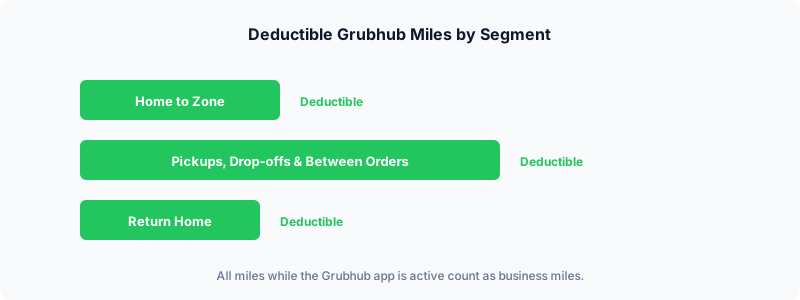
The IRS rule is straightforward: if you are driving with a business purpose, those miles are deductible. For Grubhub drivers, deductible miles include:
- Driving to your delivery zone from home at the start of a shift (if your home qualifies as your principal place of business, i.e. a home office)
- Heading to the restaurant for a pickup
- Delivering food to the customer
- Driving between orders while the app is on and you are waiting for the next offer
- Returning home after your last delivery of the day
The general principle is that any mile driven while the Grubhub app is active and you are available for deliveries counts as a business mile.
Miles that do NOT count
Not every trip in your car qualifies. These are not deductible:
- Personal errands during a shift (grocery stop between deliveries)
- Commuting to a W-2 job before or after your Grubhub shift
- Driving with the app off and no business intent
If you mix personal and business driving in a single trip, only the business portion is deductible.
The 2026 IRS mileage rate and what it means for you
The IRS standard mileage rate for 2026 is 72.5 cents per mile, up from 70 cents in 2025. This rate covers fuel, insurance, depreciation, maintenance, and all other vehicle operating costs in a single per-mile figure.
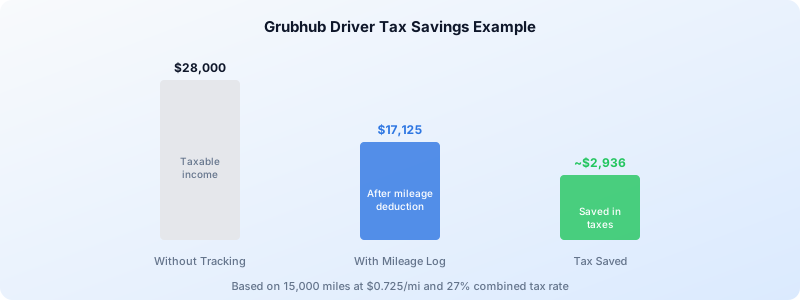
Here is what that looks like in practice. If you drive 15,000 business miles in a year delivering for Grubhub, your deduction is:
15,000 miles x $0.725 = $10,875 deduction
At a combined federal and self-employment tax rate of roughly 27%, that saves you about $2,936 in taxes. Drive more miles and the savings grow proportionally.
The alternative is the actual expense method, where you track every receipt for gas, repairs, insurance, and depreciation. Most Grubhub drivers find the standard mileage rate simpler and often more generous. You choose one method per vehicle per year. For more on weighing the two options, check out our gig economy mileage tracking guide.
What Grubhub tracks vs what the IRS requires
Grubhub shows limited trip data in its driver app. You can see delivery distances and earnings summaries. However, the app only measures restaurant-to-customer distance. It does not record your drive to the restaurant, miles between orders, or your trip home. That means Grubhub’s numbers undercount your actual deductible miles by 30% to 50%.
More importantly, the IRS requires a contemporaneous mileage log that includes:
- Date of each trip
- Starting and ending locations
- Business purpose
- Miles driven
Grubhub’s in-app data does not meet these requirements on its own. You need a separate, dedicated mileage log.
Other deductions Grubhub drivers should claim
Mileage is usually the largest deduction, but it is not the only one. Other common write-offs include:
- Phone and phone plan (business-use percentage)
- Hot bags, coolers, and delivery gear
- Tolls and parking fees paid during deliveries
- Roadside assistance memberships (business-use share)
- Self-employment tax deduction (you can deduct half of your SE tax on your 1040)
If you are also driving for other platforms, all of these deductions apply across your combined gig work. Our delivery driver tax deductions article has the full checklist.
How to build an IRS-proof mileage log
There are three common approaches to Grubhub mileage tracking:
1. Paper logbook
Write down every trip by hand. It works, but it is tedious and easy to forget. One missed week can cost you hundreds in lost deductions.
2. Spreadsheet
A step up from paper. You enter dates, addresses, and miles into a Google Sheet or Excel file after each shift. Better for organization, but still relies on you remembering to log everything.
3. Automatic mileage tracking app
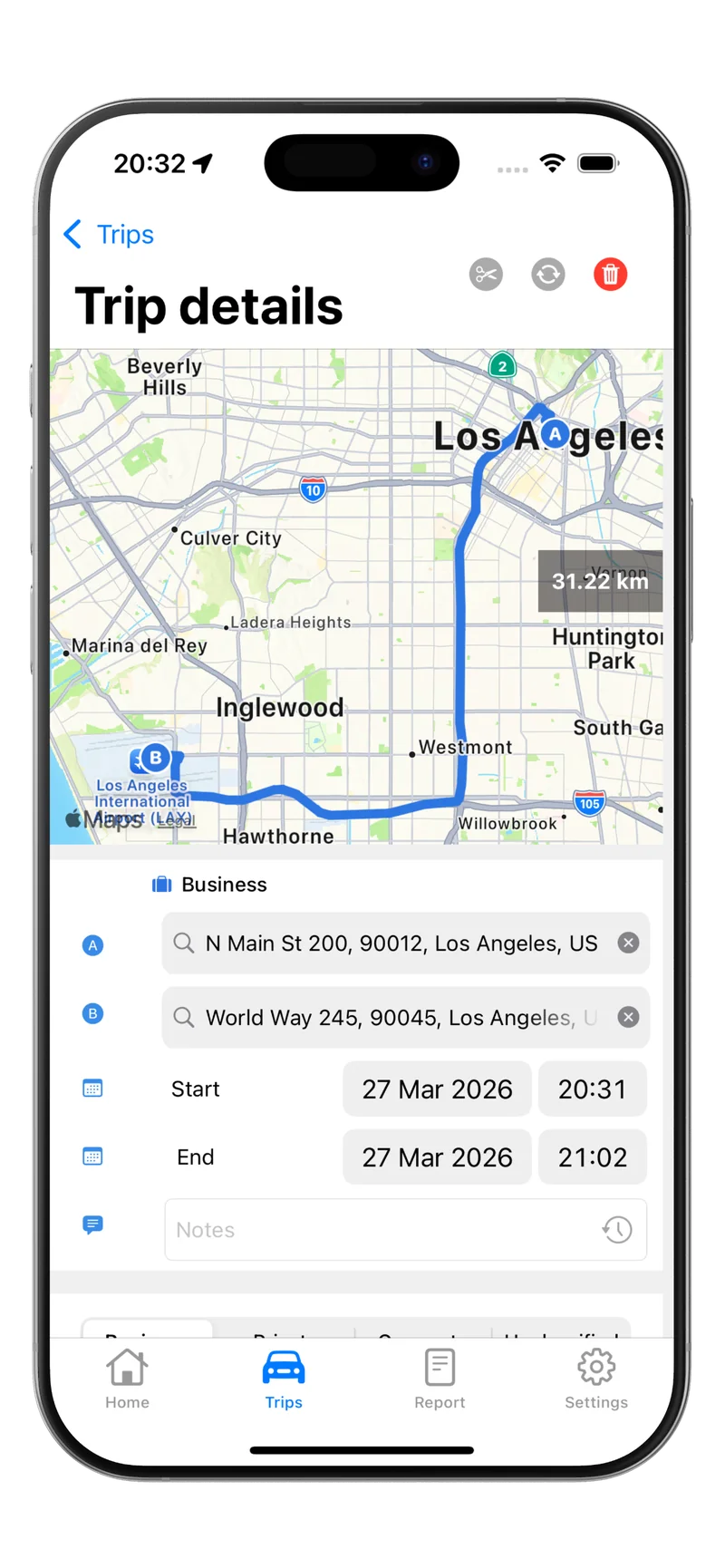
The most reliable method. A GPS-based app runs in the background while you drive and records every trip automatically. You classify trips as business or personal with a single swipe. No manual entry, no forgotten trips.
An automatic tracker ensures you capture every deductible mile, including the ones Grubhub does not show you, like deadhead miles between orders and your drive home.
Quarterly estimated taxes
Because Grubhub does not withhold taxes, you are expected to pay quarterly estimated taxes if you owe $1,000 or more for the year. The due dates are:
- April 15 (Q1)
- June 15 (Q2)
- September 15 (Q3)
- January 15 of the following year (Q4)
Missing these deadlines results in an underpayment penalty. Keeping a running mileage total throughout the year helps you estimate your deductions and avoid overpaying or underpaying each quarter.
A note on W-2 employees and mileage
If you also hold a W-2 job, be aware that the TCJA’s elimination of unreimbursed employee expense deductions is now permanent under the One Big Beautiful Bill Act (OBBBA). W-2 employees cannot deduct work-related mileage on their federal taxes. However, your Grubhub mileage is reported on Schedule C as self-employment income, so it remains fully deductible regardless of any W-2 employment.
Start tracking today
Every day you drive for Grubhub without tracking your miles is money left on the table. At 72.5 cents per mile, even a single shift of 50 miles is worth $36.25 in deductions. Over a full year, proper Grubhub mileage tracking can easily save you $2,000 to $5,000 in taxes.
The easiest way to make sure you never miss a mile is to use an automatic tracker that logs every trip the moment you start driving.
Download Tripbook and start turning every Grubhub mile into tax savings.